The Maxwell dragon wakes up — GPU embeddings inside k3s, on a GPU older than some of my ideas

The problem with doing everything on a CPU
So here’s the thing. My homelab-2nd node — the one running k3s and Flux and basically the whole cluster — has an NVIDIA GPU. A GeForce GTX 960 OEM / 970M, to be exact. The GM204 chip. Maxwell architecture. Compute capability 5.2. Three gigabytes of VRAM. Released roughly when dinosaurs still roamed the earth, or at least when I still thought 1080p was a lot of pixels 😅
And for months, that GPU just sat there. Doing nothing. Drawing idle power. Meanwhile, every time my docs-mcp-server needed to index documentation, the CPU did the embeddings. Indexing the FluxCD docs took so long that I could go make coffee, drink the coffee, wash the cup, and come back to a progress bar that had moved maybe 12%.
For comparison: the same job on my M1 Max takes about 50 seconds.
Something had to change. The old dragon was sleeping, and it was time to wake it up 🐉
The plan: install the NVIDIA driver on Debian 13, configure k3s containerd for the NVIDIA runtime, deploy the NVIDIA Device Plugin via Flux, and run a tiny embedding model (nomic-embed-text) as a GPU workload inside k3s. Everything GitOps-managed. No snowflakes.
flowchart TD
    A["nvidia-smi: driver not running 😢"] --> B["Install linux-headers-amd64\n+ reboot into new kernel"]
    B --> C["nvidia-smi works!\nGTX 970M, 3GB VRAM"]
    C --> D["k3s containerd:\nNVIDIA runtime drop-in"]
    D --> E["NVIDIA Device Plugin\nHelmRelease via Flux"]
    E --> F["Node labeled:\nnvidia.com/gpu: 1"]
    F --> G["Ollama deployment\nruntimeClassName: nvidia"]
    G --> H["Embeddings on GPU!\n~50x faster than CPU"]
Step 1 — The driver that was installed but not really
The GPU was there in lspci:
1
2
ssh homelab-2nd "lspci | grep -i nvidia"
# 01:00.0 VGA compatible controller: NVIDIA Corporation GM204M [GeForce GTX 960 OEM / 970M] (rev a1)
But nvidia-smi just laughed at me:
1
2
NVIDIA-SMI has failed because it couldn't communicate with the NVIDIA driver.
Make sure that the latest NVIDIA driver is installed and running.
No /dev/nvidia* devices either. The driver package was installed (nvidia-driver metapackage, version 550.163.01-2, plus nvidia-kernel-dkms), but the running kernel (6.12.57+deb13-amd64) had no matching DKMS build. So the module could not load. Classic Debian situation: the package is there, the build isn’t.
The fix was almost too easy:
1
2
3
4
5
# Install headers, which pulled in a newer kernel + headers + kbuild
sudo apt install linux-headers-amd64
# The post-install hooks ran DKMS automatically and built nvidia-current/550.163.01
# Reboot into the new kernel (6.12.94+deb13-amd64)
sudo reboot
After reboot:
1
2
3
4
5
6
7
nvidia-smi
# NVIDIA-SMI 550.163.01   Driver Version: 550.163.01   CUDA Version: 12.4
# +-----------------------------------------------------------------------------+
# | NVIDIA-SMI 550.163.01   Driver Version: 550.163.01   CUDA Version: 12.4     |
# |-------------------------------+----------------------+----------------------+
# |   0  NVIDIA GeForce GTX 970M  3072MiB               55C             7W    |
# +-------------------------------+----------------------+----------------------+
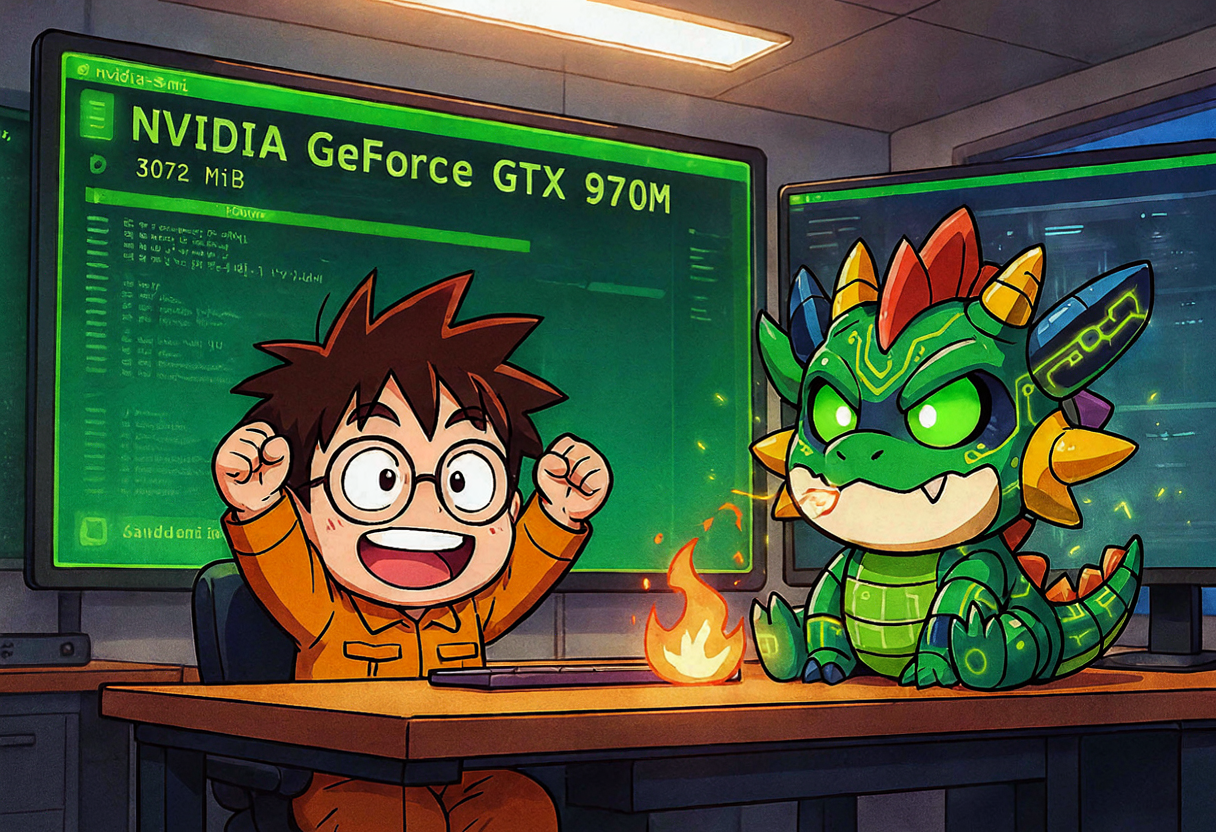
/dev/nvidia0, /dev/nvidiactl, /dev/nvidia-modeset, /dev/nvidia-uvm all present. Kernel modules nvidia, nvidia_modeset, nvidia_drm, nvidia_uvm loaded. The dragon had a pulse 💚
On Debian 13 (trixie), if you install the nvidia-driver metapackage but skip linux-headers-amd64, DKMS won’t have anything to build against for your current kernel. The newer kernel that the headers pull in is the one that actually gets the module built. Don’t forget to reboot into it.
Step 2 — Teaching k3s containerd to speak NVIDIA
Now the GPU works on the host. But k3s uses its own containerd, and that containerd does not know what an NVIDIA runtime is. You have to tell it.
The “official” way is to override the whole containerd config template (config-v3.toml.tmpl). I tried that. k3s refused to start with containerd exited: exit status 1. Not great.
The cleaner approach is a drop-in file instead of a full template override:
1
2
3
4
5
6
7
# /var/lib/rancher/k3s/agent/etc/containerd/config-v3.toml.d/nvidia-runtime.toml
# NVIDIA runtime for GPU workloads in k3s
[plugins."io.containerd.cri.v1.runtime".containerd.runtimes.nvidia]
  runtime_type = "io.containerd.runc.v2"
  [plugins."io.containerd.cri.v1.runtime".containerd.runtimes.nvidia.options]
    BinaryName = "/usr/bin/nvidia-container-runtime"
    SystemdCgroup = true
k3s reads all .toml files in that config-v3.toml.d/ directory and merges them. This way you don’t fight the template, you just add a runtime.
One more gotcha: nvidia-container-runtime couldn’t find runc/crun in its default search path. A symlink fixed that:
1
ln -sf /var/lib/rancher/k3s/data/current/bin/runc /usr/local/bin/runc
After that, systemctl restart k3s and it came up clean. The NVIDIA runtime was registered.
Step 3 — The NVIDIA Device Plugin (via Flux, obviously)
Since the whole cluster is GitOps-managed by Flux, the device plugin had to be a HelmRelease, not a kubectl apply one-liner I’d forget about. Everything lives in infrastructure/nvidia-device-plugin/ in the homelab repo.
First, a RuntimeClass so pods can ask for the NVIDIA runtime by name:
1
2
3
4
5
6
7
8
9
# infrastructure/nvidia-device-plugin/runtimeclass.yaml
# RuntimeClass for the NVIDIA container runtime.
# Pods using this class will be run by containerd with nvidia-container-runtime,
# giving them access to NVIDIA devices and NVML.
apiVersion: node.k8s.io/v1
kind: RuntimeClass
metadata:
  name: nvidia
handler: nvidia
Then a ConfigMap with an explicit deviceDiscoveryStrategy. This was the second dragon I had to slay — the NVIDIA Device Plugin defaults to an auto discovery strategy that GPU Feature Discovery (GFD) does not support on this single-GPU node. GFD crashed with unsupported strategy auto. So I pinned it down:
1
2
3
4
5
6
7
8
9
10
11
12
13
14
15
16
17
18
19
20
# infrastructure/nvidia-device-plugin/configmap.yaml
# NVIDIA device plugin / GPU feature discovery configuration.
# Explicit device discovery strategy avoids the unsupported 'auto' default
# on the homelab-2nd single-Maxwell GPU node.
apiVersion: v1
kind: ConfigMap
metadata:
  name: nvidia-plugin-config
  namespace: nvidia-device-plugin
data:
  config.yaml: |
    version: v1
    flags:
      migStrategy: "none"
      failOnInitError: true
      nvidiaDriverRoot: "/"
      plugin:
        passDeviceSpecs: false
        deviceListStrategy: envvar
        deviceIDStrategy: uuid
And the HelmRelease itself, with GFD and NFD both enabled so the node gets auto-labeled:
1
2
3
4
5
6
7
8
9
10
11
12
13
14
15
16
17
18
19
20
21
22
23
24
25
26
27
28
29
30
31
32
33
34
# infrastructure/nvidia-device-plugin/helm-release.yaml (values section)
spec:
  interval: 1h
  chart:
    spec:
      chart: nvidia-device-plugin
      version: "0.17.1"
      sourceRef:
        kind: HelmRepository
        name: nvidia-device-plugin
        namespace: flux-system
      interval: 1h
  values:
    tolerations:
      - key: node-role.kubernetes.io/control-plane
        operator: Exists
        effect: NoSchedule
      - key: nvidia.com/gpu
        operator: Exists
        effect: NoSchedule
    config:
      name: nvidia-plugin-config   # the ConfigMap above
    runtimeClassName: nvidia
    gfd:
      enabled: true
      runtimeClassName: nvidia
    nfd:
      enabled: true
    resources:
      requests:
        cpu: 50m
        memory: 64Mi
      limits:
        memory: 256Mi
After Flux reconciled, the node got labeled automatically:
1
2
3
4
5
6
7
kubectl get nodes -o json | jq '.items[].metadata.labels | with_entries(select(.key | test("nvidia|pci-10de")))'
# {
#   "feature.node.kubernetes.io/pci-10de.present": "true",
#   "nvidia.com/gpu.count": "1",
#   "nvidia.com/gpu.product": "GeForce_GTX_970M",
#   "nvidia.com/gpu.present": "true"
# }
And the allocatable resources now included the GPU:
1
2
3
kubectl describe node homelab-2nd | grep -A2 "Allocatable"
# Allocatable:
#   nvidia.com/gpu:  1
The dragon could now be scheduled 🐉
Enable both gfd.enabled=true and nfd.enabled=true in the HelmRelease. NFD is what actually scans the PCI bus and creates the pci-10de.present label. GFD then reads that label and adds the richer nvidia.com/gpu.* labels. Without NFD, the device plugin DaemonSet won’t schedule because the node selector finds nothing.
Step 4 — TEI says no (the compute capability wall)
For the embedding server, my first choice was HuggingFace’s text-embeddings-inference (TEI). It’s Rust-based, purpose-built for embeddings, and lighter than running full Ollama. I even wrote a full Deployment for it:
1
2
3
4
5
6
7
8
9
10
11
12
13
14
15
16
17
18
19
20
21
22
23
24
25
26
27
28
29
# apps/gpu-embedding/tei-deployment.yaml (abandoned)
apiVersion: apps/v1
kind: Deployment
metadata:
  name: tei-embedding-server
  namespace: gpu-embedding
spec:
  selector:
    matchLabels:
      app.kubernetes.io/name: tei-embedding-server
  template:
    spec:
      nodeSelector:
        feature.node.kubernetes.io/pci-10de.present: "true"
      runtimeClassName: nvidia
      tolerations:
        - key: nvidia.com/gpu
          operator: Exists
          effect: NoSchedule
      containers:
        - name: tei
          image: ghcr.io/huggingface/text-embeddings-inference:cuda-1.9
          args:
            - --model-id
            - "nomic-ai/nomic-embed-text-v1.5"
            - --port
            - "3000"
            - --served-model-name
            - "nomic-embed-text"
Looks clean, right? It crashed immediately:
1
cuda compute cap 52 is not supported
HuggingFace text-embeddings-inference prebuilt images only support CUDA compute capability 7.5+ (Turing and newer). The GTX 970M is Maxwell — sm_52. TEI simply will not run on this GPU without compiling a custom image from source. That was not a rabbit hole I wanted to enter on a 40°C day in Düsseldorf 😅
So the decision was: switch to Ollama, which supports Maxwell out of the box. Less elegant than TEI, but it actually works.
The TEI manifests stay in the repo (apps/gpu-embedding/tei-*.yaml) but out of the active kustomization.yaml, waiting for either a custom CUDA_COMPUTE_CAP=52 build or a GPU upgrade that may never come.
Step 5 — Ollama on the GPU
Ollama it is. But there’s one more version trap: newer Ollama images (0.30.x and up) bundle CUDA libraries that require NVIDIA driver 570+. Debian 13 currently ships driver 550.163.01. So I had to pin the image:
1
2
3
4
5
6
7
8
9
10
11
12
13
14
15
16
17
18
19
20
21
22
23
24
25
26
27
28
29
30
31
32
33
34
35
36
37
38
39
40
41
42
43
44
45
46
47
48
49
50
51
52
53
54
55
56
57
58
59
60
61
62
63
64
65
66
67
68
69
70
71
72
73
74
75
76
77
78
79
80
81
82
# apps/gpu-embedding/ollama-deployment.yaml
apiVersion: apps/v1
kind: Deployment
metadata:
  name: ollama-embeddings
  namespace: gpu-embedding
spec:
  replicas: 1
  selector:
    matchLabels:
      app.kubernetes.io/name: ollama-embeddings
  template:
    metadata:
      labels:
        app.kubernetes.io/name: ollama-embeddings
    spec:
      # Use the NVIDIA container runtime so CUDA devices and driver libs are mounted.
      runtimeClassName: nvidia
      nodeSelector:
        feature.node.kubernetes.io/pci-10de.present: "true"
      tolerations:
        - key: nvidia.com/gpu
          operator: Exists
          effect: NoSchedule
      initContainers:
        - name: pull-model
          image: ollama/ollama:0.3.14    # pinned for driver 550 compat
          command:
            - /bin/sh
            - -c
            - |
              set -e
              ollama serve &
              SERVE_PID=$!
              until ollama list >/dev/null 2>&1; do
                echo "Waiting for Ollama API..."
                sleep 1
              done
              echo "Pulling nomic-embed-text..."
              ollama pull nomic-embed-text
              kill $SERVE_PID
              wait $SERVE_PID 2>/dev/null || true
          env:
            - name: OLLAMA_HOST
              value: "127.0.0.1:11434"
            - name: HOME
              value: "/root"
          volumeMounts:
            - name: ollama-models
              mountPath: /root/.ollama
      containers:
        - name: ollama
          image: ollama/ollama:0.3.14
          ports:
            - name: http
              containerPort: 11434
          env:
            - name: OLLAMA_HOST
              value: "0.0.0.0:11434"
            - name: HOME
              value: "/root"
          volumeMounts:
            - name: ollama-models
              mountPath: /root/.ollama
          resources:
            requests:
              cpu: 500m
              memory: 1Gi
              nvidia.com/gpu: 1
            limits:
              memory: 4Gi
              nvidia.com/gpu: 1
          livenessProbe:
            httpGet:
              path: /
              port: 11434
            initialDelaySeconds: 30
            periodSeconds: 15
      volumes:
        - name: ollama-models
          persistentVolumeClaim:
            claimName: ollama-models
The init container pulls nomic-embed-text (137M params, ~550MB on GPU) before the main container starts, so the first readiness probe doesn’t get a cold model. The model weights live on a local-path PVC so they survive pod restarts:
1
2
3
4
5
6
7
8
9
10
11
12
13
# apps/gpu-embedding/ollama-models-pvc.yaml
apiVersion: v1
kind: PersistentVolumeClaim
metadata:
  name: ollama-models
  namespace: gpu-embedding
spec:
  accessModes:
    - ReadWriteOnce
  storageClassName: local-path
  resources:
    requests:
      storage: 20Gi
And the Service — a NodePort so LAN clients (like Docker on the Hermes host) can also reach it, not just in-cluster pods:
1
2
3
4
5
6
7
8
9
10
11
12
13
14
15
16
17
18
# apps/gpu-embedding/ollama-service.yaml
# Internal: http://ollama-embeddings.gpu-embedding.svc.cluster.local:11434
# LAN:      http://10.0.0.1:30114/v1
apiVersion: v1
kind: Service
metadata:
  name: ollama-embeddings
  namespace: gpu-embedding
spec:
  type: NodePort
  selector:
    app.kubernetes.io/name: ollama-embeddings
  ports:
    - name: http
      port: 11434
      targetPort: http
      nodePort: 30114
      protocol: TCP

Step 6 — Migrating docs-mcp to the GPU
Once the GPU embedding server was running, docs-mcp-server had to point at it. Previously it used a CPU-only Ollama in its own namespace. The change was a one-liner environment variable:
1
2
3
4
5
6
7
# apps/docs-mcp/docs-mcp-deployment.yaml (env section)
env:
  - name: DOCS_MCP_EMBEDDING_MODEL
    value: "openai:nomic-embed-text"
  - name: OPENAI_API_BASE
    value: "http://ollama-embeddings.gpu-embedding.svc.cluster.local:11434/v1"
  # (was: http://ollama-embeddings.docs-mcp.svc.cluster.local:11434/v1)
The old CPU-only Ollama files (apps/docs-mcp/ollama-deployment.yaml, ollama-service.yaml, ollama-models-pvc.yaml) got deleted from the repo and removed from the kustomization. Goodbye, CPU embeddings. You were slow but you tried.
The GPU embedding server is now a shared platform service. Any namespace can call http://ollama-embeddings.gpu-embedding.svc.cluster.local:11434/v1 — docs-mcp today, and future consumers (OpenViking memory, mem0, whatever comes next) tomorrow. That’s the whole point of putting it in its own gpu-embedding namespace rather than inside docs-mcp.
Does it actually work?
Pod running, GPU detected:
1
ollama-embeddings-b476fdbf9-cqqxj   1/1   Running   homelab-2nd
Ollama logs confirm CUDA on the Maxwell chip:
1
2
inference compute id=GPU-... library=cuda variant=v11 compute=5.2 driver=12.4
  name="NVIDIA GeForce GTX 970M" total="2.9 GiB"
And nvidia-smi inside the pod shows the model loaded:
1
|  0  NVIDIA GeForce GTX 970M   703MiB / 3072MiB   ollama_llama_server |
Smoke test from a debug pod in the gpu-embedding namespace:
1
2
3
4
5
6
7
8
9
10
# Ollama native API
curl -X POST http://ollama-embeddings.gpu-embedding.svc.cluster.local:11434/api/embeddings \
  -H 'Content-Type: application/json' \
  -d '{"model":"nomic-embed-text","prompt":"hello world"}'

# OpenAI-compatible API
curl -X POST http://ollama-embeddings.gpu-embedding.svc.cluster.local:11434/v1/embeddings \
  -H 'Content-Type: application/json' \
  -H 'Authorization: Bearer ***' \
  -d '{"model":"nomic-embed-text","input":"hello world"}'
Both return 768-dimensional embeddings. The dragon breathes fire again 🔥
Because of course I added a Grafana dashboard
What’s the point of having a GPU in your homelab if you can’t stare at graphs about it? I deployed utkuozdemir/nvidia-gpu-exporter as another Flux HelmRelease to expose nvidia_smi_* metrics, and built a Grafana dashboard called Homelab GPU & Power with panels for:
- GPU utilization %
- GPU memory used
- GPU temperature + power draw (W)
- CPU package temperature
- CPU package power (RAPL, W)
Live samples at idle:
| Metric | Value |
|---|---|
nvidia_smi_utilization_gpu_ratio | 0.00 |
nvidia_smi_memory_used_bytes | ~5 MiB |
nvidia_smi_temperature_gpu | 59 °C |
nvidia_smi_power_draw_watts | 8.23 W |
node_rapl_package_joules_total | 28043.36 J |
The RAPL energy counters under /sys/class/powercap are root-readable only by default, so the node-exporter RAPL collector fails with node_scrape_collector_success{collector="rapl"} 0. Fix: enable the kube-prometheus-stack chart’s nodeExporter.permissionInitContainer.fixes.rapl toggle. Don’t fight PodSecurityContext manually — the chart already has an init container for exactly this.
What I’d do differently
Looking back at the whole journey, here are the real lessons:
- Install the headers at the same time as the driver. The driver metapackage without matching headers is just a package, not a working driver.
- Use containerd drop-ins, not template overrides. The template override is a sledgehammer. Drop-ins are surgical.
- Pin your Ollama image.
ollama/ollama:latestwill break on driver 550 eventually.0.3.14is my safe floor until Debian ships driver 570+. - Check compute capability before you write the manifest. TEI and the GTX 970M were never going to be friends. Ollama was the answer from the start — I just had to learn it the hard way 😅
- Put shared services in their own namespace.
gpu-embeddingis not adocs-mcpthing. It’s a platform thing. Future me (and future agents) will thank present me.
What’s next
- Monitor GPU memory and temperature during sustained indexing (it was 40 °C ambient in Düsseldorf today — the Clevo chassis is working overtime, and so is the air conditioner that doesn’t exist).
- Watch the
Homelab GPU & PowerGrafana dashboard during a reindex to validate the load and power numbers are real. - When Debian 13 non-free packages for driver 570+ appear, bump Ollama back toward
latest. - Keep the TEI manifests in the repo, shelved, in case someone builds a
CUDA_COMPUTE_CAP=52image or the GPU gets upgraded to something that doesn’t predate the Tesla autopilot.
The old Maxwell dragon is awake, it’s doing useful work, and it’s managed by the same GitOps pipeline as everything else. Not bad for a GPU that’s older than some of my homelab ideas 🐉😎
Tracking note: [[2026-06-27-gpu-embedding-preflight]]