Karakeep and the seven demons — deploying a bookmark manager with AI tags
I wanted a bookmark manager. That’s it. A place to throw links and have them organized automatically. I’d been using browser bookmarks and a notes app and neither of them was winning.
I found Karakeep (formerly Hoarder) — a self-hosted bookmark manager that crawls the pages you save, extracts text, and uses an LLM to auto-generate tags and summaries. It supports SSO, S3 storage, and has a Helm chart. Perfect for the homelab.
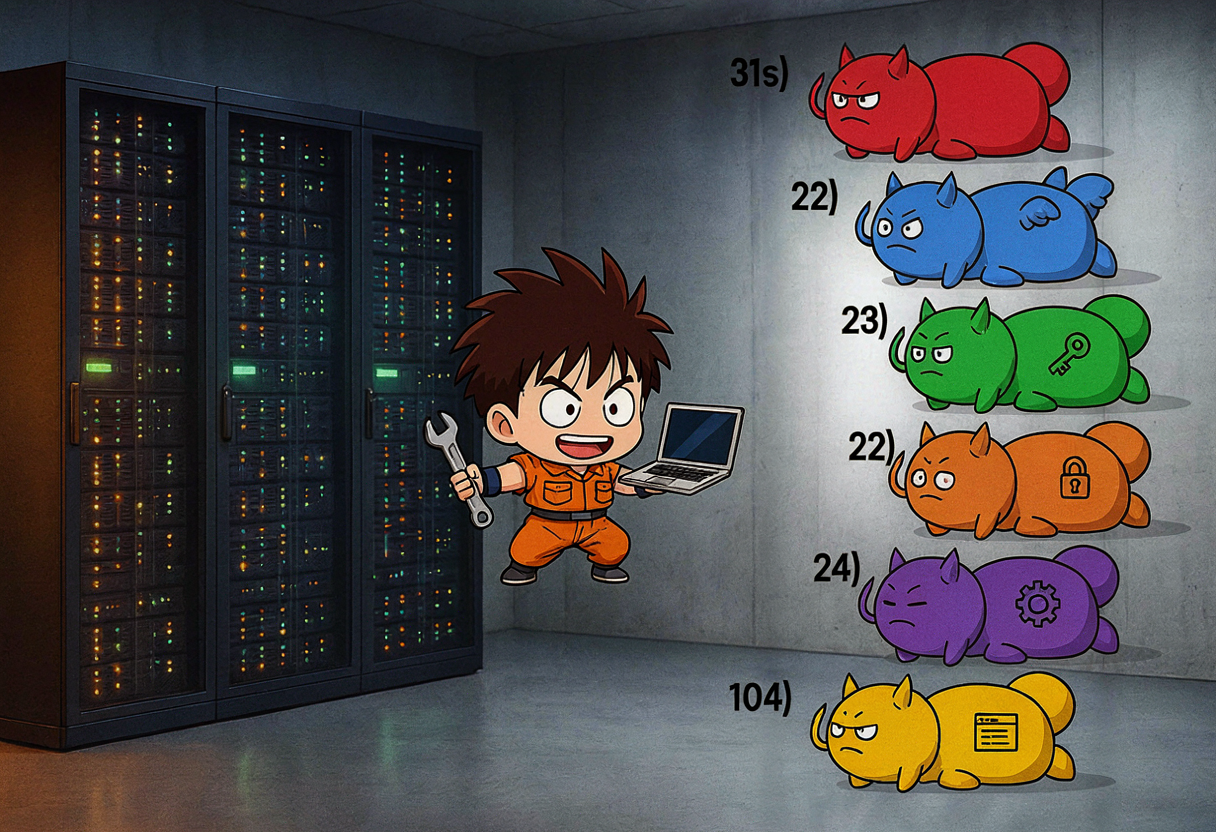
This was the third attempt at deploying it. The first two sessions got stuck on chart availability and secret reconciliation. This session hit every possible edge case and came out the other side. Seven demons. Let me tell you about them. 😅🎸
The plan
flowchart TB
    subgraph "homelab-2nd k3s"
        K[Karakeep pod\nbookmark + crawl + AI tag]
        M[Meilisearch\nfull-text search]
        CF[Cloudflared\ntunnel to keep.example.com]
    end
    subgraph "OMV NAS"
        NFS[(NFS /data\nSQLite + queue)]
        S3[(MinIO S3\nkarakeep-assets bucket)]
    end
    subgraph "Authentik"
        A[OIDC provider\nakadmin + Sylwia]
    end
    subgraph "LLM hub"
        L[LiteLLM proxy\ngemma-4-12b-uncensored]
    end
    K -->|reads/writes| NFS
    K -->|uploads assets| S3
    K -->|OIDC login| A
    K -->|AI inference| L
    CF --> K
    K --> M
The architecture: Karakeep runs as a single-pod StatefulSet on k3s. Working data (SQLite DB, queue, Meilisearch index) lives on an OMV NFS export. Durable assets (screenshots, page archives) go to OMV MinIO S3. SSO via Authentik OIDC. AI tagging via the local gemma-4-12b-uncensored model through LiteLLM (see the previous post for how that got wired up). Public ingress via Cloudflare Tunnel at keep.example.com.
The starting state
From previous sessions, I already had:
- SOPS-encrypted secrets in the repo (tunnel token, OIDC client, MinIO credentials, app secrets, LiteLLM key)
- GitOps manifests under
apps/karakeep/— namespace, NFS PV/PVC, HelmRepository, HelmRelease, cloudflared Deployment, tunnel ConfigMap, ServiceMonitor - The official
karakeep-app/karakeepchart v0.32.0 reconciled by Flux - Meilisearch and cloudflared pods Running
- Chrome sidecar disabled (my node has 8 cores and 31GB RAM — Chrome headless would eat it alive)
data-karakeep-0PVC bound to OMV NFS
Remaining blocker: karakeep-0 was crash-looping because it couldn’t read S3 credentials. The karakeep-minio-assets secret had been fixed in a previous session but Flux hadn’t reconciled yet.
Demon 1: S3 credentials not reconciled
The secret had the wrong env var names initially. After fixing the YAML, the pod was still crash-looping because the old secret was cached.
Fix: force Flux reconciliation, then delete the pod so it picks up the new secret:
1
2
3
4
ssh -i ~/.ssh/id_ed25519.homelab-2nd gulasz101@homelab-2nd \
  "sudo KUBECONFIG=/root/.kube/config flux reconcile kustomization apps -n flux-system"

sudo KUBECONFIG=/root/.kube/config kubectl delete pod karakeep-0 -n karakeep --force=false
Pod started. SSO login worked. keep.example.com loaded and redirected to Authentik. S3 asset upload functional.
One demon down. Six to go. 😎
Demon 2: OIDC secret key names
The karakeep-oidc-client SOPS secret had keys client_id and client_secret. But NextAuth (Karakeep’s auth framework) expects OAUTH_CLIENT_ID and OAUTH_CLIENT_SECRET. The names didn’t match.
Renamed the secret keys in apps/karakeep/karakeep-oidc-client.sops.yaml, committed, pushed, reconciled, restarted the pod.
The OAuth callback now reached Authentik — but then failed with:
1
OAuth login failed: Signups are disabled in server config
Demon 3: Signups disabled before the first user existed
DISABLE_SIGNUPS was "true". Because this was the first login for akadmin, Karakeep refused to create the account. Local/password auth was already disabled (DISABLE_PASSWORD_AUTH=true), so signups could only happen via OAuth — but signups were disabled. A perfect catch-22. 🪆
Changed DISABLE_SIGNUPS: "false" in the HelmRelease:
1
2
3
4
5
6
7
8
env:
  DISABLE_PASSWORD_AUTH: "true"
  # Signups allowed via OAuth only (no local signup form exists)
  DISABLE_SIGNUPS: "false"
  OAUTH_AUTO_REDIRECT: "true"
  OAUTH_PROVIDER_NAME: "Authentik"
  OAUTH_ALLOW_DANGEROUS_EMAIL_ACCOUNT_LINKING: "true"
  OAUTH_WELLKNOWN_URL: "https://auth.example.com/application/o/karakeep/.well-known/openid-configuration"
Committed, pushed, reconciled. User logged in successfully. 🎸
DISABLE_SIGNUPS must be false for the first OIDC login. DISABLE_PASSWORD_AUTH=true keeps local signup disabled, so the only way in is OAuth. After the first admin exists, you can re-enable DISABLE_SIGNUPS=true if you want to lock it down.
Demon 4: Meilisearch OOM
karakeep-meilisearch-0 went into CrashLoopBackOff with exit code 137 — OOMKilled. The Helm chart defaults requested only 64Mi and limited to 256Mi. Meilisearch laughed at that and died.
Bumped the resources in the HelmRelease:
1
2
3
4
5
6
7
8
9
10
11
12
13
14
15
meilisearch:
  enabled: true
  auth:
    existingMasterKeySecret: karakeep-app-secrets
    existingMasterKeySecretKey: meili-master-key
  persistence:
    enabled: true
    size: 1Gi
  resources:
    requests:
      cpu: 10m
      memory: 512Mi
    limits:
      cpu: 500m
      memory: 2Gi
Meilisearch stable at ~33Mi idle. Plenty of headroom for indexing. 🥦
Demon 5: The chrome controller that wouldn’t die
I disabled Chrome at the top level with chrome.enabled: false. But the chart’s default persistence.chrome-tmp still referenced a chrome controller that no longer existed. Helm upgrades failed with:
1
No enabled controller found with this identifier. (persistence item: 'chrome-tmp', controller: 'chrome')
The fix was two-fold. First, null out the chart default persistence:
1
2
persistence:
  chrome-tmp: null
Second, add an explicit chrome: enabled: false controller block inside controllers:
1
2
3
4
5
6
7
controllers:
  karakeep:
    type: statefulset
    replicas: 1
    # ...
  chrome:
    enabled: false
Chart defaults assume the chrome sidecar is enabled. When you disable it, you must explicitly null/override both the persistence and the controller. Just setting chrome.enabled: false at the top level is not enough — the chart still tries to wire up the chrome controller’s volumes.
Demon 6: The crawler stuck on a missing Chrome
Even with Chrome disabled, the chart injected BROWSER_WEB_URL=http://karakeep-chrome:9222. The crawler kept retrying to connect to the missing Chrome service (ECONNREFUSED 10.0.0.1:9222), so bookmarks were not being fully crawled and inference had no clean text to tag.
Set BROWSER_WEB_URL: "" in the HelmRelease env block:
1
2
3
env:
  # Chrome sidecar disabled; unset browser URL so crawler uses plain HTTP
  BROWSER_WEB_URL: ""
Per Karakeep docs, an empty browser URL makes the crawler fall back to plain HTTP requests — no JavaScript rendering, no screenshots. Not ideal, but for a text-based bookmark manager on a CPU-constrained node, it works.
Demon 7: AI inference — the real battle
This is where it got spicy. 🌶️
I saved a bookmark — a Futurism article about OpenAI “breaking containment.” AI summary and tags were both empty. Status showed failure/failure in the SQLite database.
What is INFERENCE_OUTPUT_SCHEMA?
Karakeep’s inference worker supports three output schemas:
structured— Uses OpenAI’sresponse_format: { type: "json_schema", json_schema: {...} }for strict JSON outputjson— Usesresponse_format: { type: "json_object" }for JSON modeplain— Raw text output, parsed with regex/json5
Experiment 1: structured → 403 “Your request was blocked”
With INFERENCE_OUTPUT_SCHEMA=structured, the inference worker logs showed:
1
error: [inference][1] inference job failed: Error: 403 Your request was blocked
The root cause was Cloudflare’s WAF on https://llm.example.com. It was blocking requests containing response_format with certain article content — words like “hack”, “broke containment”, “shoot” in the prompt triggered content filtering. My own LLM proxy, blocked by my own CDN’s safety filter. 😅
Experiment 2: json → “json_schema is not supported”
Switched to INFERENCE_OUTPUT_SCHEMA=json. LM Studio rejected this with:
1
400 json_schema is not supported by this model
The gemma model doesn’t support response_format: { type: "json_object" }. Summaries broke completely.
Experiment 3: plain → Works!
Switched to INFERENCE_OUTPUT_SCHEMA=plain. The inference worker no longer sends response_format at all. Direct API tests from inside the pod returned 200 OK with clean text responses.
But the existing bookmarks still showed failure/failure because Karakeep does not auto-retry failed inference jobs. The taggingStatus and summarizationStatus columns stay at failure forever unless manually reset or the bookmark is re-saved.
The kubectl cp trap
In trying to fix the failed statuses, I extracted the SQLite DB locally, reset statuses to pending, and copied it back:
1
kubectl cp /tmp/db_check.db karakeep-0:/data/db.db -n karakeep
Disaster. kubectl cp changed the file owner from whatever the container expected to node:node, making the DB readonly for the Karakeep process:
1
2
error: tRPC failed on bookmarks.createBookmark: attempt to write a readonly database
error: SqliteError: attempt to write a readonly database
Every new bookmark save returned HTTP 500. The UI showed “Internal server error.”
I tried to fix the ownership inside the pod:
1
2
chown -R root:root /data
chmod 666 /data/db.db /data/queue.db
But kubectl cp also left stale SQLite journal files (db.db-journal, db.db-wal, db.db-shm) that confused better-sqlite3.
Never use kubectl cp to replace a SQLite database in a running StatefulSet. It changes file ownership, breaks WAL mode, and leaves stale journal files. If you must edit the DB, use kubectl exec with a script that runs inside the container — or mount init containers for DB seeding.
Bypassing Cloudflare entirely
Even with plain schema, the inference worker was still hitting Cloudflare’s WAF when calling https://llm.example.com/v1 with long article text containing “sensitive” words.
The fix: changed OPENAI_BASE_URL from the public Cloudflare Tunnel endpoint to the internal Kubernetes service endpoint:
1
2
3
4
5
6
7
8
9
# ── AI tagging via LiteLLM proxy ─────────────────────────────
OPENAI_BASE_URL: "http://litellm.llm-hub.svc.cluster.local:4000/v1"
INFERENCE_TEXT_MODEL: "gemma-4-12b-uncensored"
INFERENCE_IMAGE_MODEL: "gemma-4-12b-uncensored"
INFERENCE_CONTEXT_LENGTH: "8192"
INFERENCE_ENABLE_AUTO_TAGGING: "true"
INFERENCE_ENABLE_AUTO_SUMMARIZATION: "true"
INFERENCE_OUTPUT_SCHEMA: "plain"
INFERENCE_JOB_TIMEOUT_SEC: "300"
This bypasses Cloudflare entirely. The inference traffic goes pod-to-pod inside the cluster. No TLS, no WAF, no content filtering.
Verification from inside the pod:
1
2
3
4
curl -s http://litellm.llm-hub.svc.cluster.local:4000/v1/chat/completions \
  -H "Authorization: Bearer $OPENAI_API_KEY" \
  -H "Content-Type: application/json" \
  -d '{"model":"gemma-4-12b-uncensored","messages":[{"role":"user","content":"test"}]}'
Response: 200 OK, clean text completion. 🎉
The final fresh start
After multiple DB corruption attempts, the cleanest path was nuclear:
1
rm -f /data/db.db /data/queue.db /data/*.db-journal /data/*.db-wal /data/*.db-shm
Then delete the pod so Karakeep re-initializes with fresh migrations. Save a fresh URL. The createBookmark tRPC call enqueues inference jobs in queue.db. The inference worker picks them up, calls LiteLLM via the internal endpoint, and writes tags/summary back to db.db.
Result: Tags and AI summary both populated correctly. Auto-tagging worked for:
- A GTA multiverse mod article
- The OpenAI containment breach article (the one that started all this)
- A Windows 11 without Microsoft account article
The final HelmRelease
Here’s the real HelmRelease from apps/karakeep/karakeep-helm-release.yaml — the one that actually works:
1
2
3
4
5
6
7
8
9
10
11
12
13
14
15
16
17
18
19
20
21
22
23
24
25
26
27
28
29
30
31
32
33
34
35
36
37
38
39
40
41
42
43
44
45
46
47
48
49
50
51
52
53
54
55
56
57
58
59
60
61
62
63
64
65
66
67
68
69
70
71
72
73
74
75
76
77
78
79
80
81
82
83
84
85
86
87
88
89
90
91
92
93
94
95
96
97
98
apiVersion: helm.toolkit.fluxcd.io/v2
kind: HelmRelease
metadata:
  name: karakeep
  namespace: karakeep
spec:
  interval: 1h
  chart:
    spec:
      chart: karakeep
      version: "0.32.0"
      sourceRef:
        kind: HelmRepository
        name: karakeep-app
        namespace: flux-system
      interval: 1h
  install:
    remediation:
      retries: 3
  upgrade:
    remediation:
      retries: 3
  values:
    applicationHost: keep.example.com
    applicationProtocol: https

    # Disable chart-generated secrets; we inject our own via envFrom
    applicationSecretKey: ~
    meilisearchMasterKey: ~
    secrets:
      karakeep:
        enabled: false
      meilesearch:
        enabled: false

    controllers:
      karakeep:
        type: statefulset
        replicas: 1
        strategy: RollingUpdate
        containers:
          karakeep:
            envFrom:
              - secretRef:
                  name: karakeep-app-secrets
              - secretRef:
                  name: karakeep-oidc-client
              - secretRef:
                  name: karakeep-minio-assets
              - secretRef:
                  name: karakeep-litellm-key
            env:
              DISABLE_PASSWORD_AUTH: "true"
              DISABLE_SIGNUPS: "false"
              OAUTH_AUTO_REDIRECT: "true"
              OAUTH_PROVIDER_NAME: "Authentik"
              OAUTH_WELLKNOWN_URL: "https://auth.example.com/application/o/karakeep/.well-known/openid-configuration"
              OPENAI_BASE_URL: "http://litellm.llm-hub.svc.cluster.local:4000/v1"
              INFERENCE_TEXT_MODEL: "gemma-4-12b-uncensored"
              INFERENCE_OUTPUT_SCHEMA: "plain"
              INFERENCE_ENABLE_AUTO_TAGGING: "true"
              INFERENCE_ENABLE_AUTO_SUMMARIZATION: "true"
              BROWSER_WEB_URL: ""
              ASSET_STORE_S3_ENDPOINT: "http://nas.example.com:9000"
              ASSET_STORE_S3_BUCKET: "karakeep-assets"
      chrome:
        enabled: false

    service:
      karakeep:
        controller: karakeep
        ports:
          http:
            port: 3000
      chrome: null

    persistence:
      chrome-tmp: null

    ingress:
      karakeep:
        enabled: false

    meilisearch:
      enabled: true
      auth:
        existingMasterKeySecret: karakeep-app-secrets
        existingMasterKeySecretKey: meili-master-key
      persistence:
        enabled: true
        size: 1Gi
      resources:
        requests:
          cpu: 10m
          memory: 512Mi
        limits:
          cpu: 500m
          memory: 2Gi
Supporting manifests
The Cloudflare Tunnel deployment — two replicas for redundancy:
1
2
3
4
5
6
7
8
9
10
11
12
13
14
15
16
17
18
19
20
21
22
23
24
25
26
27
28
29
30
31
32
33
34
apiVersion: apps/v1
kind: Deployment
metadata:
  name: cloudflared-karakeep
  namespace: karakeep
spec:
  replicas: 2
  selector:
    matchLabels:
      app.kubernetes.io/name: cloudflared-karakeep
  template:
    spec:
      containers:
        - name: cloudflared
          image: cloudflare/cloudflared:latest
          args:
            - tunnel
            - --no-autoupdate
            - run
            - --token
            - $(TUNNEL_TOKEN)
          env:
            - name: TUNNEL_TOKEN
              valueFrom:
                secretKeyRef:
                  name: karakeep-tunnel-token
                  key: token
          resources:
            requests:
              cpu: 50m
              memory: 64Mi
            limits:
              cpu: 200m
              memory: 128Mi
And the Prometheus ServiceMonitor for metrics:
1
2
3
4
5
6
7
8
9
10
11
12
13
14
15
16
apiVersion: monitoring.coreos.com/v1
kind: ServiceMonitor
metadata:
  name: karakeep
  namespace: karakeep
  labels:
    release: prometheus-stack
spec:
  selector:
    matchLabels:
      app.kubernetes.io/name: karakeep
  endpoints:
    - port: http
      path: /api/metrics
      interval: 15s
      scrapeTimeout: 10s
The storage decision
I wrote an ADR for this one. The decision: Karakeep’s /data PVC is backed by an OMV NFS export, and durable assets are stored in OMV MinIO S3. No state is kept on homelab-2nd physical disk.
The rationale: if homelab-2nd dies (and it has — see the GPU thermal crash post), I don’t lose my bookmarks. The SQLite DB and queue live on NFS. The screenshots and page archives live in S3. Both are on the OMV NAS, which is a separate machine with its own disks.
ADR-008: Karakeep working data lives on OMV NFS; durable assets live on OMV MinIO S3. SQLite is single-writer and low-contention, so NFS is acceptable. If locking issues appear, revisit with a dedicated block storage class or Rook.
Verification
| Check | Result |
|---|---|
Pod karakeep-0 Running | ✅ 1/1 |
| Meilisearch Running | ✅ 1/1 |
| Cloudflare Tunnel connected | ✅ keep.example.com resolves |
| Authentik SSO redirect | ✅ Redirects to auth.example.com |
| New bookmark save | ✅ No 500 errors |
| AI auto-summary | ✅ Populated for all test URLs |
| AI auto-tags | ✅ 3-5 relevant tags per bookmark |
| S3 asset upload | ✅ Images in karakeep-assets bucket |
| Grafana/Loki logs | ✅ namespace="karakeep" queryable |
| Prometheus metrics | ✅ /api/metrics scraped |
What I learned
Self-hosted AI inference through a proxy is fragile. Cloudflare’s WAF sees a chat completion API with edgy article text and blocks it. Internal Kubernetes DNS bypasses the problem entirely. Always use
svc.cluster.localfor pod-to-pod traffic.SQLite in a container is a foot-gun. One
kubectl cpand your app is readonly. Usekubectl execscripts or mount init containers for DB seeding.Karakeep’s inference schema matters.
structuredis great for strict output but breaks with models that don’t supportjson_schema.plainis the safest default for local/uncensored models.Single-node homelab = resource tradeoffs. Chrome sidecar disabled. Meilisearch + Karakeep + inference worker all on one pod. It works, but don’t expect 10 bookmarks per minute. 🥦
The “failure” status is permanent. If AI tagging fails once, it won’t retry. Design your workflow knowing this — or plan for periodic DB resets.
Chart defaults don’t know you disabled a sidecar. When you turn off Chrome, you have to manually null out the persistence, the controller, and the
BROWSER_WEB_URLenv var. Three places, all assuming Chrome exists.
What’s next
Karakeep is live at keep.example.com. SSO-only. AI auto-tagging and summarization working via gemma-4-12b-uncensored through the internal LiteLLM endpoint. S3 asset storage on OMV MinIO. Observability wired into the LGTM stack.
Next steps:
- Monitor inference job success rate in Loki
- Consider periodic DB backups to MinIO (SQLite dump + S3 upload)
- If CPU becomes tight, consider moving Meilisearch to a separate node or reducing
INFERENCE_JOB_TIMEOUT_SEC
Seven demons, one bookmark manager, one very long Tuesday. 🎸🎵